New Features
- Support for multiple Identity Access Management (IAM) providers
To provide more authentication flexibility and security, organizations now have the option to define a specific IAM provider for external recipients. Administrators can enable this new authentication setting from a dropdown list in your sharing policies under manage organization/management dashboard. When a file is shared with the external collaborator, they will be directed to the specific Identity and Access Management provider (e.g., Auth0) for authentication. After successfully authenticating, they will be redirected to the applicable Trusted Share to view the file.

- Allow/Deny domain support for sensitivity labels
Administrators can now specify an allow/deny list for domains, not specific users, based on the Microsoft Information Protection sensitivity label. For example, you may want a domain to be able to access files that have been labeled "Confidential", but they cannot access files labeled "Restricted".

Enhancements
- Trusted share access from another recipient's link
Previously, you would been prevented from accessing a Trusted Share if you clicked on a link intended for a different recipient. With this enhancement, if you are logged into your Trusted Share, you can access files in the Trusted Share using another recipient's link. - End of support for Internet Explorer 11
Microsoft will no longer be supporting apps and services for Internet Explorer 11 (IE11) starting August 17, 2021. If your users use IE11 to log into e-Share, we will inform them that they are using a browser that will no longer be supported and provide links to an alternate. 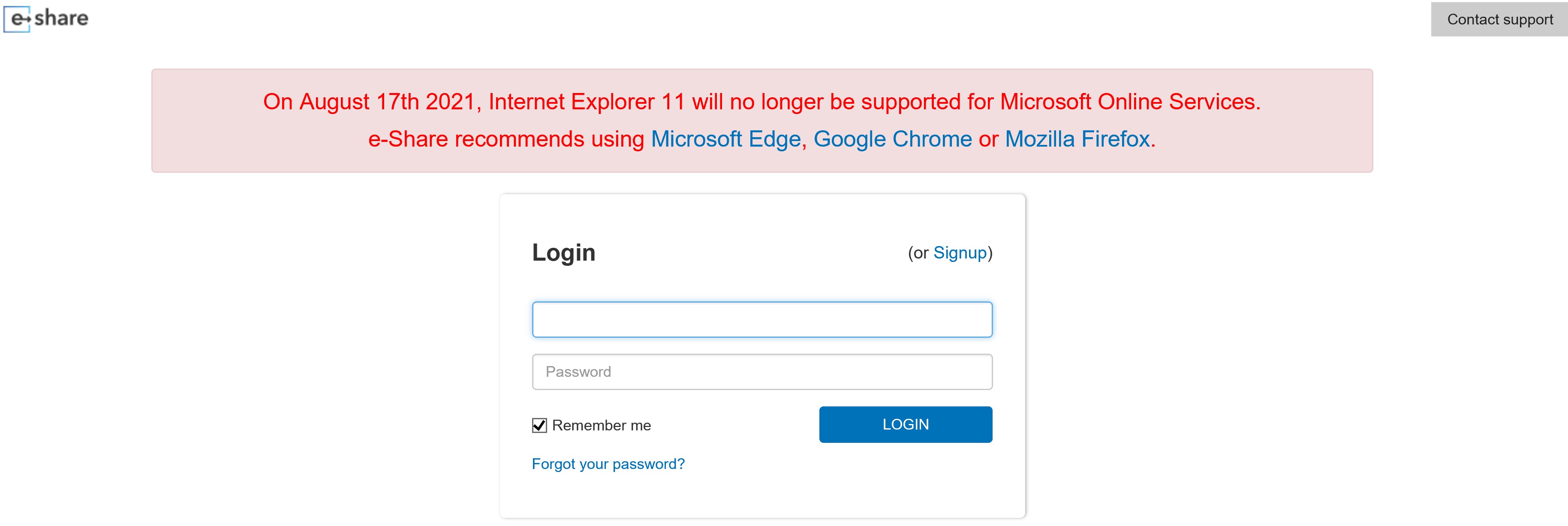
- Simplified Terms of Use experience for internal users
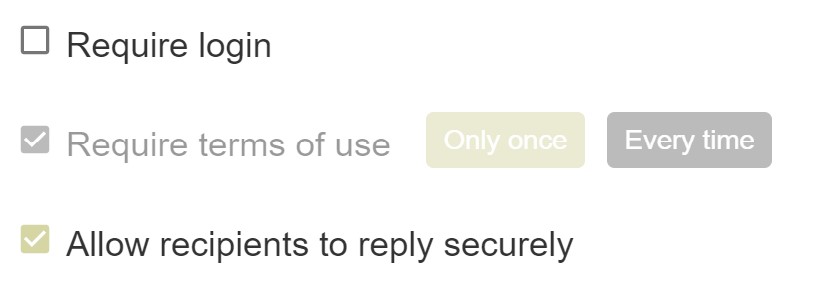
Terms of Use (TOU) settings are configured at an administrator level. As a result, while users will see the setting selected when editing/creating a policy, they will no longer be given the impression that they can change the TOU setting as it will be greyed out based on the administrator's selection. In the below screenshot, the administrator has set the TOU policy to show Only Once for the organization and the user cannot change the setting.
- Added one click button for extending collaboration access
Users (including external recipients) who have been provided the right to invite other collaborators to a Trusted Share can now click the "Forward to" button in the ribbon to extend collaboration.

Bug Fixes
- The wording for tooltips that appears when creating a sharing policy has been improved to describe the outcome of each sharing policy.
- Secure messaging in the web portal has been improved to retain drafts in the event the user clicks on a new message that has been received.
- To reduce confusion when sharing a single file, the delete and upload policy options will no longer be available as they are redundant.
- Improved system messages to use consistent wording when describing actions. For example, previously system messages would switch between the word unchecked and disabled when describing the state of certain actions.